
Teklif: from spreadsheets to a web-based application
We questioned how quotes were being prepared, listened to what the customer wanted, found where time was being lost, then built an application with an AI assistant.
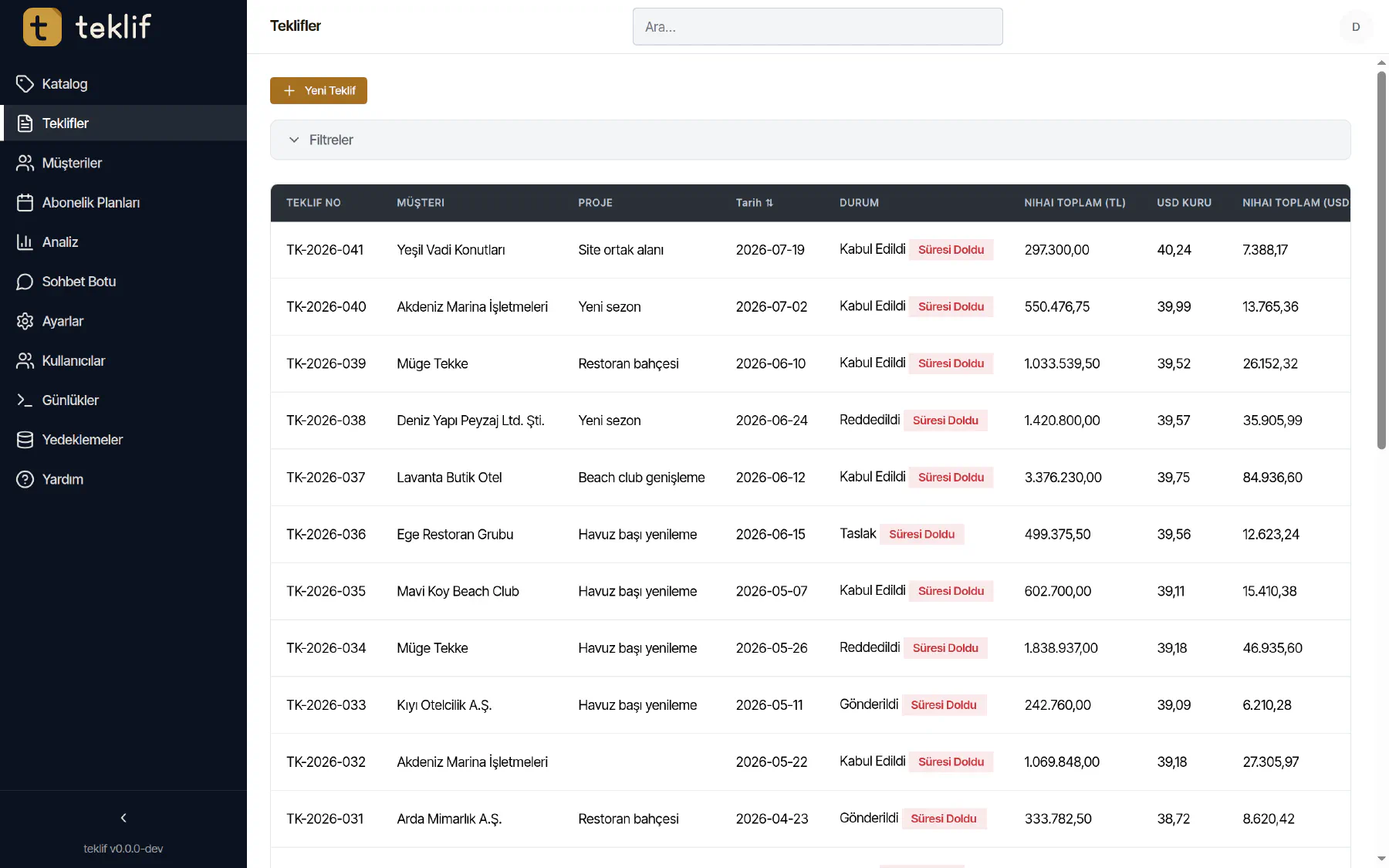
Teklif (“quote” in Turkish) is an application where a sales team keeps customer, product and price information in one place and produces a correct, ready-to-sign quote in minutes. Here is how we built it, in our own way of working: question, think, create the solution.
The screenshots in this post do not belong to a real customer. They were taken from the application running on a test database with made-up customers and products.
Question: where do quotes lose time?
Quotes were prepared in spreadsheets. We looked for answers to questions like these:
- Which version of the quote sent to this customer is the valid one?
- If prices are in dollars, which exchange rate was used on which day?
- Is the quoted product actually in stock?
- How many quotes went out last month, and how many became orders?
The answers were spread across different files and different people’s memories. The real problem was less speed than reliability: one quote with the wrong rate or an out-of-stock product wiped out hours of saved time.
Think: what to solve, and what not to
Instead of an ERP that does everything, we designed an application that does one job very well. Our decisions:
- Every quote is versioned; old versions are never deleted, and who changed what, and when, is visible.
- Exchange-rate, stock and discount calculations are checked on screen, while typing.
- Old spreadsheets are imported, so history isn’t lost.
- AI is included, but the assistant can never do more than the user is allowed to.
Create the solution: the application
Details while building a quote
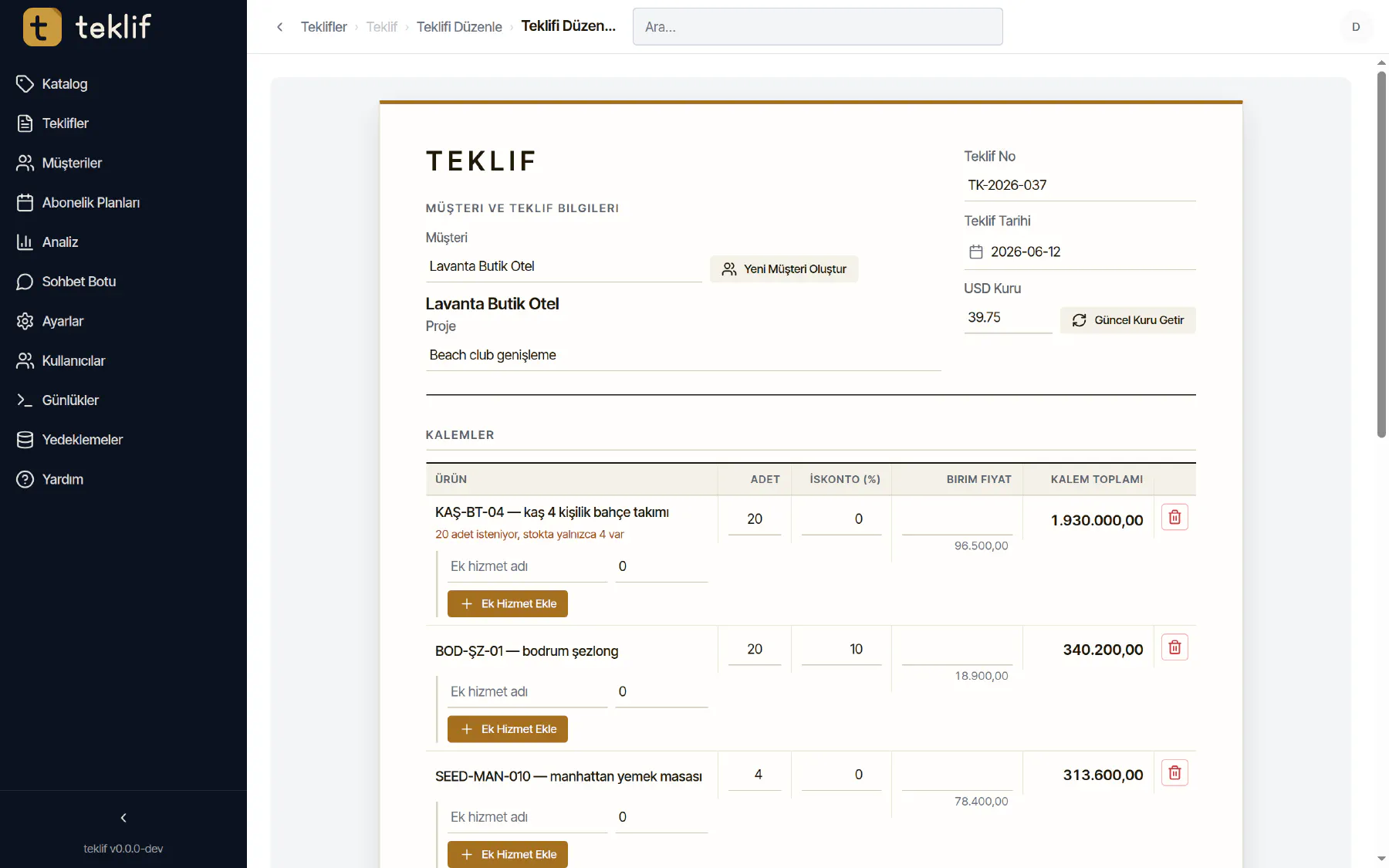
The quote screen looks like the paper quote and calculates as you fill it in. You pick the customer, fetch today’s exchange rate with one click and add products from the catalog. If the requested quantity exceeds stock, the line warns you immediately.
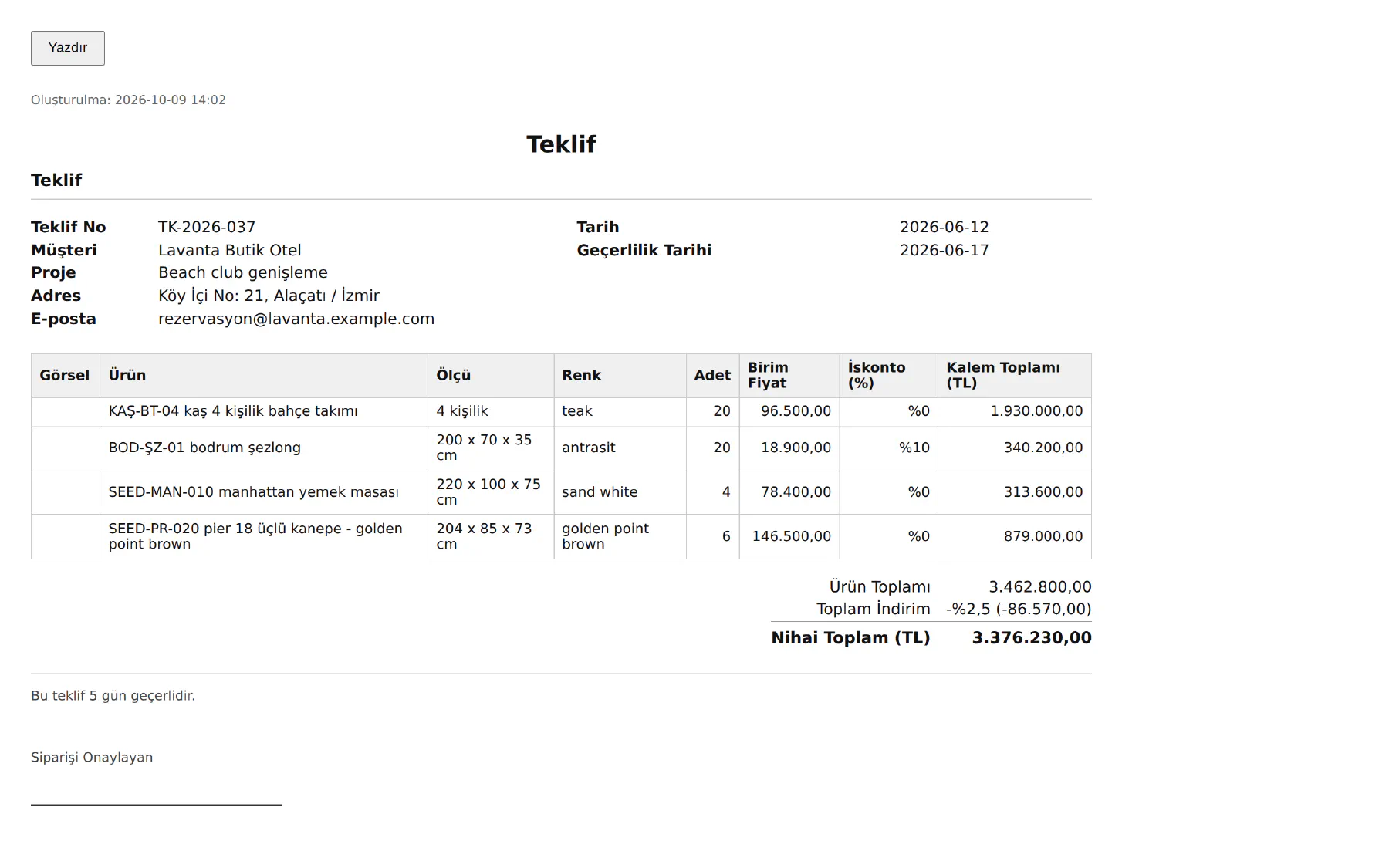
Once saved, the quote has a printable version and a PDF, with size, colour, line discounts, total discount and validity date.
Customers and catalog
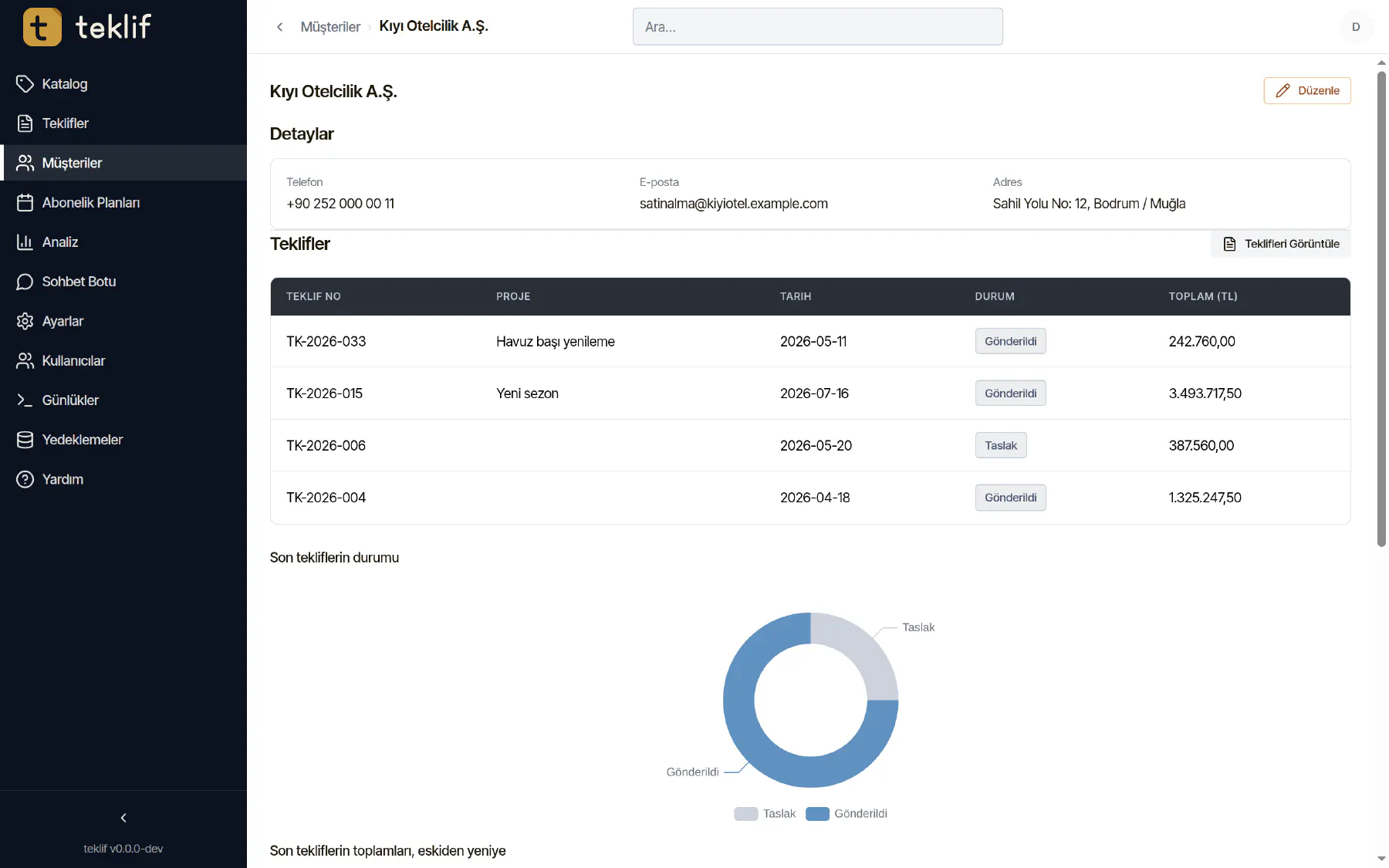
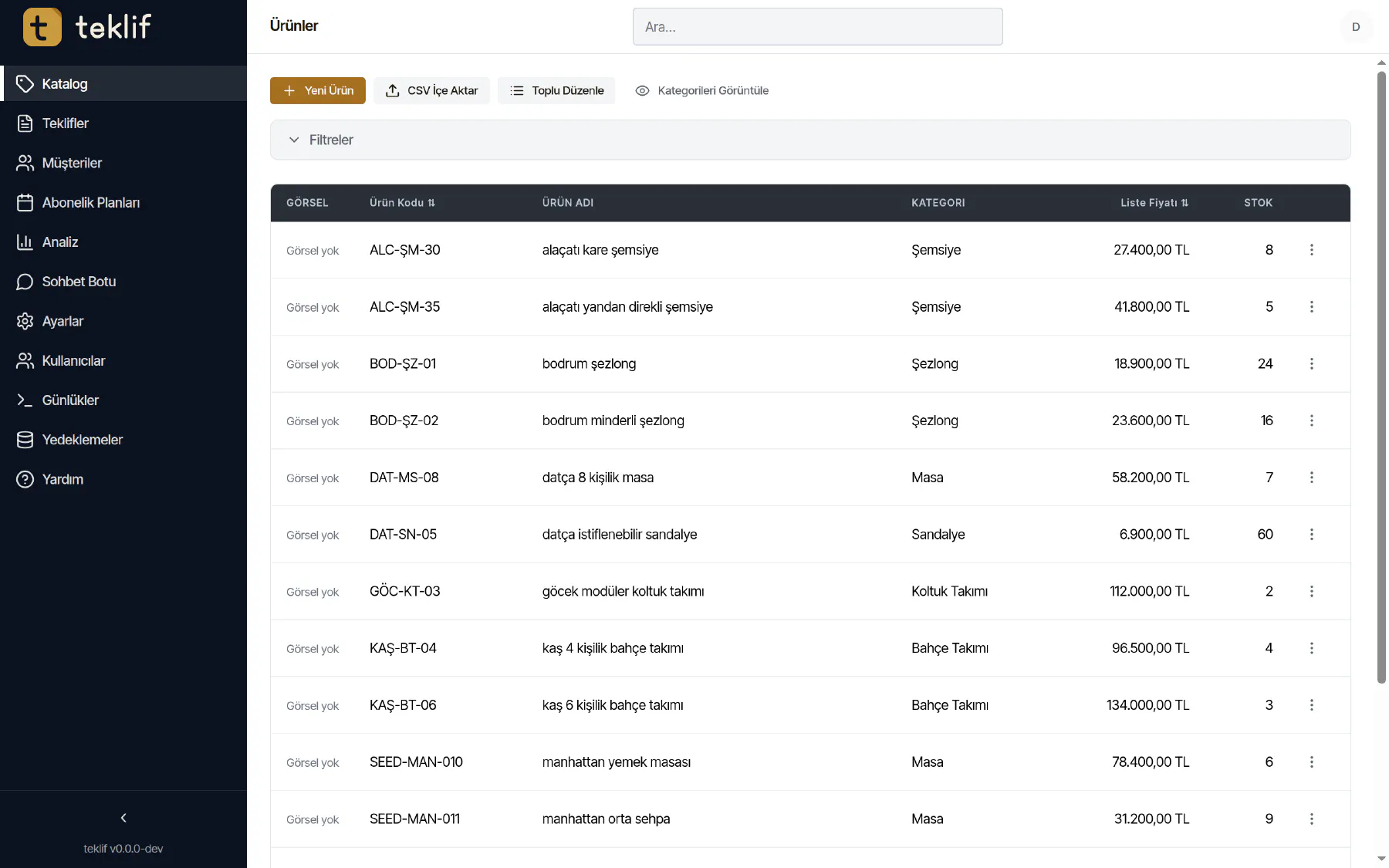
Each customer’s quotes, purchased products and notes are on one page. The catalog keeps each product’s size, colour, price and stock in Turkish and English, with bulk editing and file import.
Analytics: how many quotes became orders?
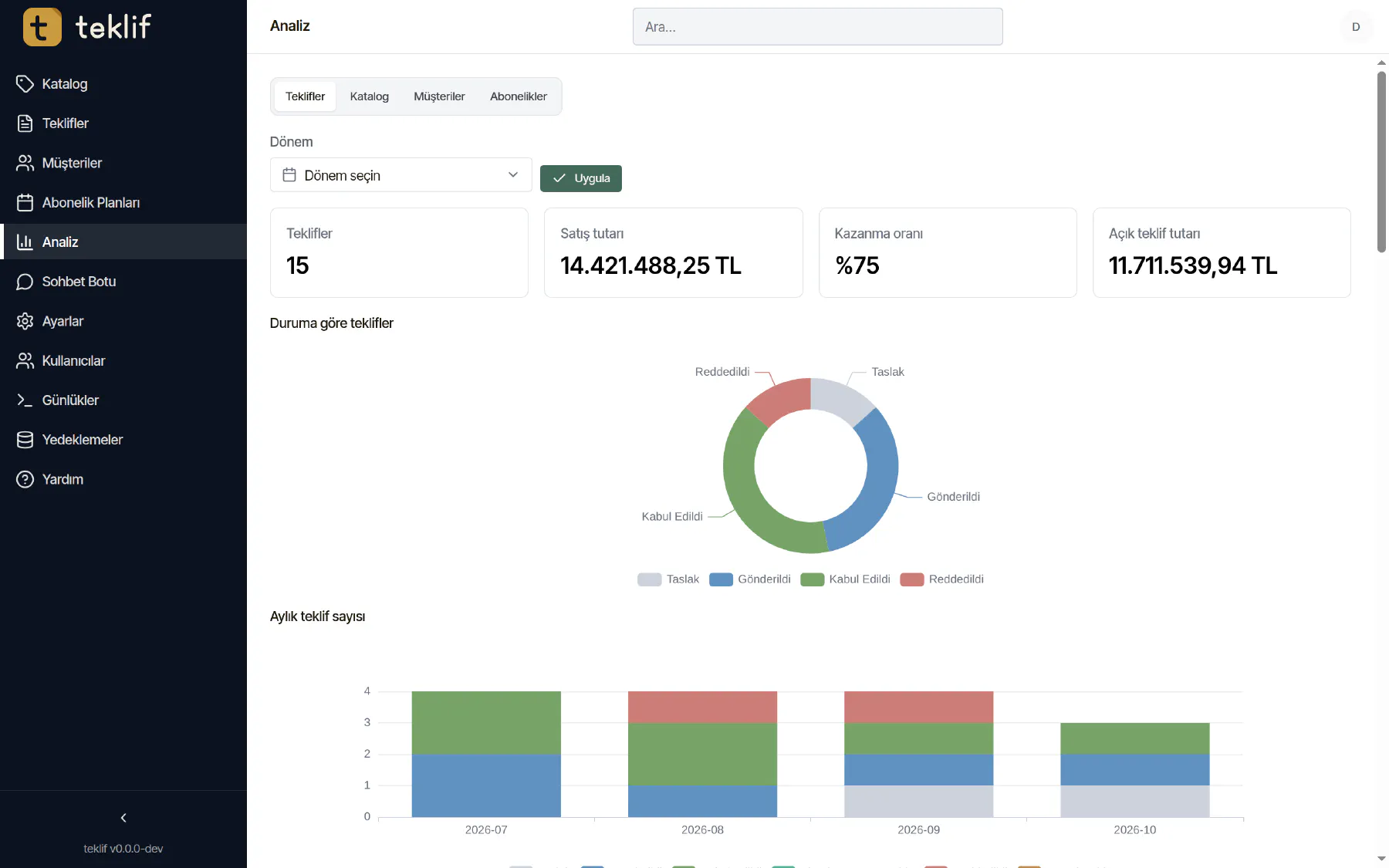
For a chosen period: number of quotes, sales amount, win rate and the value of open quotes, with charts by status and month. The catalog tab also shows the least quoted products.
AI: an assistant whose data stays in-house
The application has a chat assistant built in. It answers questions like “list this customer’s quotes” or “show the prices of the sun loungers” using the application’s own tools. We designed it around three rules:
- The assistant can run on an open-source language model (Qwen3, 1.7 billion parameters) on the server itself. Conversations and tool results are not sent to any outside service. An enterprise model service can be connected instead, if preferred.
- The assistant can’t do more than the user. Each of the 97 tools it can use is limited to that user’s permissions. What the user can’t do, the assistant can’t either.
- Everything is recorded. Every action the assistant takes goes into the audit log. Entries are chained together cryptographically, so an entry changed after the fact is detected.

The details you don’t see
A business application’s quality shows less in its screens than in the places you don’t see:
- Checks: every change is automatically checked for formatting, static analysis, tests and known vulnerabilities in dependencies; if a check fails, the change doesn’t ship.
- Backups: the database is backed up daily. If an update will change the database, an automatic restore point is taken first.
- Historical data: when old spreadsheet quotes are imported, dollar prices are converted to TL at each file’s own rate, and one customer’s files within three months are merged as versions of a single quote.
- Two languages: the whole interface is in Turkish and English.
Result
Teklif brought a process scattered across spreadsheets into one place: versions, exchange rates and stock under control, analytics one click away.
We listen to the work you run on spreadsheets and email, and turn it into a simple, secure application.